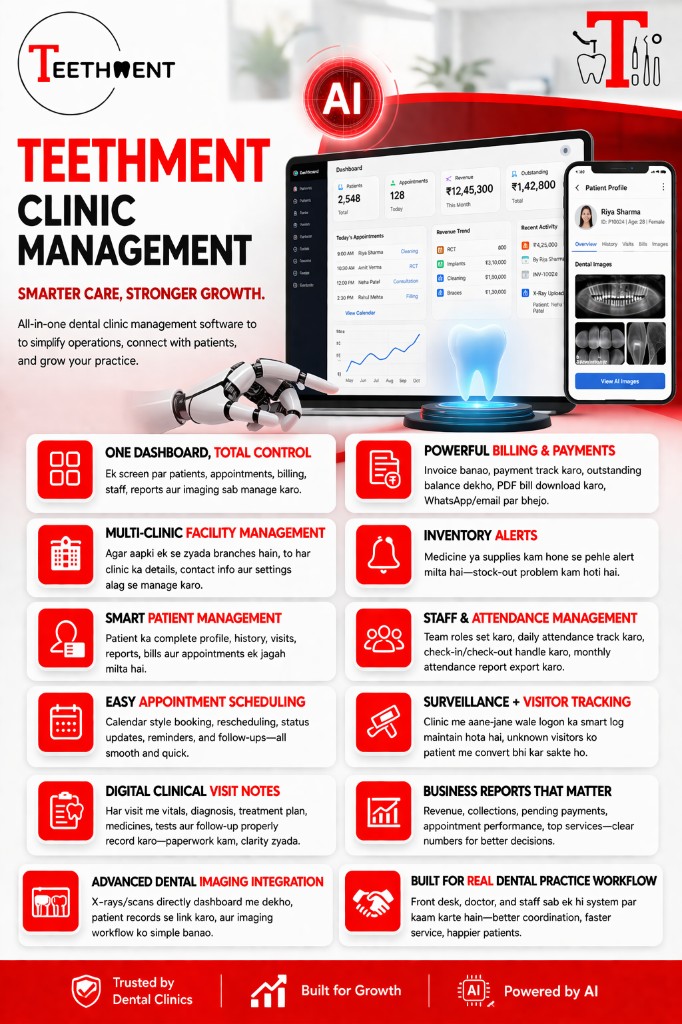

Running an independent dental clinic in India involves navigating a complex billing reality. Between split payments across multi-visit root canals, patients scanning UPI QR codes at the counter, cash settlements, and applying GST where applicable on cosmetic procedures, the front desk often struggles with manual receipt books and scattered registers. When billing is disconnected from clinical progress, clinics suffer from uncollected dues, delayed chair turnovers, and discrepancies between what the dentist completed in the operatory and what the receptionist billed at checkout.
Connecting Treatment Plans to Front-Desk Invoicing
In a typical dental setup, billing begins long before the patient reaches the front desk. A patient arrives, and the operatory workflow starts with clinical charting. On the doctor dashboard of the Teethment practice console, the consulting dentist examines the patient, reviews imaging such as digital X-rays and intraoral photos directly on the chart, and builds phased treatment plans.
Because major dental interventions—like prosthodontics, orthodontic adjustments, or endodontic treatments—are performed across multiple appointments, treatment plans split work into phased procedures with explicit clinical consent. This clinical roadmap feeds directly into clinic billing. Instead of having the front-office staff ask the doctor what procedure was performed or guessing the stage of completion, the front desk can pull up the patient records showing demographics and visit history to generate an itemized invoice immediately.
Handling Staged Procedures and Consent
When a patient agrees to a multi-stage plan, each phase carries its own procedural scope and cost. By documenting consent and phased procedures under the clinical module, the front desk can raise invoices only for the completed sitting or record advance deposits against the entire treatment plan. This eliminates confusion regarding whether a crown cementation fee was already collected during the tooth preparation visit or remains payable.
Managing Payment Modes, Outstanding Balances, and GST
Dental clinics in India handle diverse payment methods every single day. A patient might pay half of an implant surgical fee via UPI, settle a portion by debit card, and pay the remaining balance in cash after their suture removal. The Teethment practice console provides dedicated clinic billing tools to document these diverse payment modes against specific invoices.
- Split payment handling: Accept and record multiple payment modes (UPI, credit/debit cards, and cash) against a single invoice without balancing errors.
- Outstanding balances: Track ledger balances automatically. If a patient leaves after paying an initial deposit, their outstanding balance remains visible on their patient records and flags upon their next appointment.
- GST where applicable: While basic therapeutic dental treatments are generally exempt from GST in India, elective cosmetic procedures, specialized aesthetic products, or over-the-counter oral hygiene supplies attract statutory taxes. Invoices generated in the system allow clinic staff to apply GST clearly where required, ensuring transparent receipts for patients and simplified tax accounting for the practice.
Preventing Revenue Leakage at Checkout
Revenue leakage in dental practices rarely happens intentionally; it happens when front-desk staff are rushed between answering phone calls and managing the reception waiting area. When invoices and collections are tracked in a unified interface, receptionists do not have to rely on memory or paper chits handed over from the operatory. Every chair procedure mapped to the visit history is accounted for before the patient exits the reception area.
Daily Clinic Operations: Chair Scheduling to Evening Reconciliation
A predictable billing workflow relies on synchronized daily clinic routines. By standardizing morning preparation and evening closing routines, dental practices prevent administrative bottlenecks and keep chair utilization high.
Morning Workflow: Appointments and Chair Scheduling
At the start of the morning shift, the front-office team reviews the daily calendar through the appointments module. Chair scheduling ensures that operatories are balanced and dentists know their patient load. During this morning review, staff inspect visit histories to identify returning patients who carry outstanding balances from earlier phases of their treatment plans. Knowing this in advance allows the front-office team to courteously remind patients about pending dues upon arrival rather than creating an awkward interaction at departure.
Evening Workflow: Collections and Practice Console Auditing
At the end of the day, the principal dentist or clinic manager logs into the Teethment practice console to reconcile total clinic billing against actual receipts. Invoices generated throughout the day are checked against recorded collections across UPI receipts, card terminal settlements, and physical cash drawers. This daily audit identifies any open invoices, corrects misallocated payment entries, and ensures that the financial ledger matches daily clinical activity across all operating chairs.
Retaining Patients with Recalls and Follow-Up Messaging
Billing does not conclude the patient relationship; consistent follow-up ensures timely post-operative care and secures repeat visits. Through patient messaging, the clinic can schedule recalls and follow-ups based on the patient's completed treatment plans. For instance, a patient billed for a scaling session or periodontal surgery can receive an automated recall message for their six-month preventive checkup.
Similarly, for treatments requiring laboratory work—such as fixed partial dentures or aligners—patient messaging allows the clinic to alert the patient once the lab work arrives, booking the next slot in chair scheduling. Connecting communication to the central patient records keeps chairs occupied and ensures that multi-visit procedures are completed and billed without prolonged gaps.